youtube

How Remote Workers Use YouTube to MP4 Converter for Training Materials

Now, remote workers can access a wide range of training resources, many of which are on YouTube. But here’s the thing: streaming YouTube videos isn’t always practical, especially when it comes to on-the-go training. That’s where a YouTube to MP4 converter comes in handy. By converting YouTube videos to MP4, remote workers can download videos and use them offline whenever they need to.

Why Downloading YouTube Videos Helps Remote Workers

One of the most common challenges of remote work is having a stable internet connection at all times. Buffering and slow speeds can disrupt your learning process. By using a YouTube to MP4 converter, remote workers can easily download their training materials in advance and store them locally on their devices. This way, they can watch the videos offline, without relying on an internet connection. Plus, downloading training materials gives remote workers more control. They can watch the videos at their own pace, pause to take notes, and review specific sections without worrying about time constraints or interruptions.

How to Convert YouTube Videos to MP4

Converting YouTube videos to MP4 format is a simple process, and it’s a game-changer for remote workers who need offline access to training content. There are many online tools available to convert YouTube videos to MP4, and most of them are free to use. All you need is the URL of the YouTube video you want to convert. Within a few clicks, you can download it in high-quality MP4 format. This MP4 file can then be stored on your laptop, tablet, or even your phone, making it easy to access your training materials anytime, anywhere. The beauty of MP4 files is that they’re universally compatible with virtually every device, ensuring seamless playback with no hassle.

Improved Learning Experience for Remote Workers

For remote workers, learning often happens in short bursts, whether it’s during a lunch break or between meetings. Being able to download YouTube videos as MP4s means you don’t need to rely on a solid internet connection to get through your training content. Instead, you can download the training material when you have Wi-Fi access and then catch up later in a variety of settings. This offline access enhances the learning experience by giving workers the ability to multitask. They can take their training materials on the go, making it easier to fit learning into their daily routine.

The Benefits of Using a YouTube to MP4 Converter for Training

One of the key advantages of using a YouTube to MP4 converter for training is convenience. The ability to download training videos in advance eliminates the need for a continuous internet connection. This is especially useful for remote workers in areas with unreliable Wi-Fi or limited data plans. Additionally, having these videos stored offline means you can revisit them anytime without having to search for the video again on YouTube. Moreover, converting videos to MP4 gives remote workers more freedom. They’re no longer tied to specific devices or streaming apps. Instead, they can access their …

Cloud-Based Communication Tools: How They’re Making Remote Work Seamless

Remote work isn’t a trend anymore. It’s part of how businesses operate. Whether companies are fully remote or hybrid, the need for smooth communication is clear. Teams are spread across cities, time zones, and sometimes continents. To stay aligned, they need reliable tools that keep everyone connected and productive. That’s where cloud-based communication tools come in. These platforms are designed to handle real-time conversations, project updates, and file sharing from anywhere. They make distance irrelevant when it comes to teamwork.

Why the Cloud Works Better

cloud

Traditional communication systems were tied to physical locations. Office phones, local servers, and on-site IT support made remote access clunky and limited. Cloud-based tools changed that. They offer flexibility, mobility, and instant access to communication channels. With the cloud, there’s no need to be tied to a desk. Teams can chat, call, and collaborate from laptops, tablets, or smartphones. Everything updates in real time. That kind of fluid interaction makes a huge difference when people aren’t sitting in the same room. The cloud doesn’t just keep things running. It keeps them running efficiently.

All-in-One Platforms Are Gaining Ground

Before cloud tools, teams had to switch between email, calls, messaging apps, and project boards. It caused confusion. Information was scattered. Now, all-in-one platforms bring everything under one roof. Employees can message teammates, join a video call, share a document, and assign tasks without switching tools. That’s a major advantage. It reduces the chance of things falling through the cracks. Fewer distractions mean fewer mistakes and faster results. This streamlined workflow is a game-changer for remote teams. It ensures everyone stays on the same page, even when they’re not in the same building.

Real-Time Collaboration and Faster Decisions

Cloud communication tools do more than just send messages. They support real-time collaboration. Multiple team members can edit documents at once. Meetings can happen instantly. Questions get answered without long email threads. Decisions don’t have to wait. With quick access to feedback and input, projects move forward without delay. It’s efficient, and it keeps momentum strong. When teams respond quickly, clients notice. That speed builds trust and keeps remote operations competitive.

Security Without Sacrificing Access

One concern with remote tools is data safety. Cloud-based communication platforms address that with encrypted messages, secure logins, and permission controls. They’re designed to balance access with protection. Companies can control who sees what. Admins can grant or revoke access instantly. And because everything’s cloud-based, there’s no risk of losing files if a laptop breaks or gets misplaced. This level of control gives teams confidence. They know their information is safe without needing to sacrifice speed or flexibility.

Scalable for Teams of All Sizes

Whether you’re a solo consultant or managing a global team, cloud communication tools scale easily. You can start with a few users and expand as needed. There’s no major hardware investment or installation process. Updates roll out automatically. New features get added without downtime. This allows companies to grow without outgrowing their tools. It also means small businesses can …

computer

Top Features to Consider When Choosing Your Next Gaming Laptop

Choosing the right gaming laptop can be a game-changer for your gaming experience, offering the perfect blend of performance, portability, and features. With a vast array of options on the market, selecting the right one can feel overwhelming. To help you make an informed decision, we’ve compiled a list of the top features to consider when choosing your next gaming laptop. These features will ensure you get the best performance and value for your money, making your gaming sessions more enjoyable and immersive.

Graphics Card (GPU)

Graphics Card (GPU)The graphics card is arguably the most crucial component of a gaming laptop. It determines how well your computer can handle modern games, with higher-end GPUs providing better performance and smoother visuals. Look for notebooks equipped with dedicated graphics cards from reputable brands like NVIDIA or AMD. Aim for a GPU like the NVIDIA GeForce RTX 3060 or higher for optimal gaming, which offers excellent performance for most current games.

Processor (CPU)

The processor, or CPU, is the brain of your laptop and significantly impacts overall performance. A high-performance CPU is essential for running demanding games and multitasking efficiently. For gaming, consider a computer with a recent Intel Core i7 or AMD Ryzen 7 processor, as these provide the speed and power needed to handle intensive tasks. A strong CPU will also help reduce loading times and enhance your system’s overall responsiveness.

RAM and Storage

Sufficient RAM and storage are crucial for smooth gaming and efficient multitasking. Most modern games require at least 8GB of RAM, but 16GB or more is recommended for a seamless experience and to future-proof your laptop. An SSD (Solid State Drive) is preferable to a traditional HDD (Hard Disk Drive) due to its faster read and write speeds. A laptop with at least 512GB SSD storage will offer ample space for games and quick load times, but consider models with expandable storage options if you need more space.

Display Quality

The display quality significantly impacts your gaming experience. Look for a laptop with a high-resolution screen, preferably Full HD (1920×1080) or higher, for clear and vibrant visuals. Additionally, consider a display with a high refresh rate—120Hz or more—for smoother gameplay and reduced motion blur. An anti-glare screen is also beneficial if you often play in brightly lit environments. A good display ensures you fully enjoy your favorite games’ detailed graphics and fast-paced action.

Cooling System

Cooling SystemGaming laptops generate a lot of heat, and an effective cooling system is essential to maintain optimal performance and prevent overheating. Look for laptops with advanced cooling technologies, such as multiple fans, heat pipes, and efficient airflow designs. A well-designed cooling system will help keep your computer running at peak performance during long gaming sessions and extend its lifespan by preventing overheating-related issues.

Selecting the right gaming laptop involves balancing key features to match your gaming needs and preferences. You can find a laptop that offers excellent performance and durability by focusing on the graphics card, processor, RAM and storage, display quality, cooling system, …

youtube

Understanding the Different Packages When You Buy YouTube Views

YouTube has grown to become one of the most powerful platforms for content creators and businesses to showcase their videos to a global audience. While creating engaging content is key, getting your videos noticed is equally important. Many content creators and marketers buy views on Youtube to boost their visibility and credibility. When exploring this option, it’s essential to understand the different packages available and how they can benefit your YouTube channel. In this article, we’ll delve into the world of YouTube view packages to help you make informed decisions.

Why Buy YouTube Views?

computerThere are several advantages to buying YouTube views. First, it can help your videos rank higher in search results, making them more visible to potential viewers. It also creates a perception of popularity and social proof, which can attract more organic views and subscribers. Additionally, purchasing views can save you time and effort to promote your videos organically. Also, buying views can help you reach the necessary watch hours faster if you’re aiming for monetization.


Types of YouTube View Packages

When buying YouTube views, you’ll come across various packages offered by different providers. These packages typically vary in the number of views, delivery speed, and price. Here are some common types of YouTube view packages:

  • Starter Packages: Starter packages usually offer a small number of views at an affordable price. These packages suit new YouTubers looking to boost their initial viewership or promote a single video.
  • Standard Packages: Standard packages usually offer a moderate number of views at a slightly higher price than starter packages. These packages are suitable for established channels looking to increase their view count and attract more organic views.
  • Premium Packages: Premium packages offer a large number of views at a higher price point. These packages are ideal for content creators or businesses looking to gain significant visibility and credibility quickly.
  • Custom Packages: Some providers also offer custom packages where you can specify the number of views you want to buy. These packages are suitable for those with specific goals or budgets in mind.

Choosing the Right Package for You

When deciding on a YouTube view package, consider your goals and budget. If you’re just starting and looking to gain initial traction, a starter or standard package may be suitable. However, if you have a higher budget and want to make a bigger impact, premium or custom packages may be worth considering. Additionally, pay attention to the delivery speed of the views, as a sudden spike in views can raise red flags and violate YouTube’s terms of service. It’s also essential to choose a reputable provider with positive reviews and transparent pricing.


In Conclusion

Understanding the different packages available when you buy YouTube views is essential for making the right choice to boost your YouTube channel’s visibility and credibility. Whether you opt for a basic package to kickstart your channel or a premium package for rapid growth, the key is to ensure that the views you purchase are genuine and of high …

premiere

YouTube Features to Make Use After You Buy YouTube Views

Welcome to the world of YouTube, where creators like you can unleash their creativity and share it with millions of viewers across the globe. Whether you’re a seasoned YouTuber or just starting out on your journey, one thing’s for certain – views matter. After all, what good is creating amazing content if no one is there to see it? That’s why many creators choose to buy Youtube views as a way to boost their channel’s visibility and attract more organic viewers.

But did you know that buying views is just the beginning? There are several exciting features on YouTube that you can make use of after purchasing those coveted views. In this blog post, we’ll explore some of these incredible features and show you how they can take your channel to new heights of success.

YouTube Shorts

YouTube Shorts is a relatively new feature that allows you to create and share short, snappy videos lasting up to 60 seconds. It’s the perfect tool for capturing attention spans in today’s fast-paced digital world. With YouTube Shorts, you can showcase your creativity, entertain your audience, and even go viral with just a short burst of content. One of the best things about YouTube Shorts is its simplicity. You don’t need fancy equipment or hours of editing skills to create engaging videos. All you need is your smartphone and a creative idea. Whether it’s filming a quick tutorial, sharing funny moments from your day, or showcasing behind-the-scenes footage of your latest project – the possibilities are endless.

Premieres

Premieres are a fantastic feature on YouTube that allows creators to build excitement and anticipation for their upcoming videos. With Premieres, you can schedule a video release in advance and invite your viewers to join the premiere event. It’s like hosting a live watch party with your audience. When you use Premieres, your video will play at the scheduled time, just like a live stream. Viewers can chat with each other and with you during the premiere, creating an interactive experience. This can be a great way to engage with your audience in real-time.

YouTube Studio Analytics

content creator

YouTube studio analytics is a powerful tool that allows content creators to gain valuable insights into the performance of their videos. With this feature, you can access data about your audience demographics, watch time, and engagement metrics. One of the key benefits of YouTube Studio Analytics is its ability to show you how viewers are finding your videos. You can see which external sources are driving traffic to your channel, such as social media platforms or websites. This information can help you understand where to focus your marketing efforts and reach a wider audience. In addition, YouTube Studio Analytics provides detailed information about audience retention. You can see at what point viewers drop off from watching your videos, allowing you to identify areas where improvements can be made.

YouTube Live

YouTube live is a powerful feature that allows content creators to engage with their audience in real time. …

watch

Cracking the Code: How to Make Sense of the Data when You Buy 1 Million YouTube Views

Gaining 1 million views on YouTube is a significant milestone for content creators. However, beyond the allure of this impressive number lies a goldmine of invaluable data. Understanding and deciphering the data behind 1 Million Youtube Views can provide creators with valuable insights to optimize their content, engage their audience, attract sponsors, and fuel future growth. Once you do, it is time to explore key factors that can help content creators make sense of the data behind purchasing 1 million views from the best sites.

Demographics and Viewer Preferences

The data obtained from 1 million YouTube views offers valuable insights into your audience’s demographics and preferences. Analyzing this data can help you identify the age, gender, location, and even interests of your viewers. These insights enable you to tailor your content more effectively, catering to the specific preferences of your target audience.

Engagement Metrics

Beyond the view count, engagement metrics play a crucial role in understanding your content’s impact on viewers. By diving into data such as likes, dislikes, comments, and average watch time, you can gauge how deeply your videos resonate with your audience. High engagement metrics suggest that your content is compelling and captivating, while low engagement may indicate areas for improvement.

Traffic Sources

subs

Understanding the sources of traffic that brought viewers to your channel is vital for future growth. The data behind 1 million YouTube views can shed light on which external platforms, keywords, or social media channels are bringing the most traffic to your videos. This information allows you to invest more strategically in promotion and marketing efforts, focusing on the sources that generate the most traffic.

Video Performance Analysis

Analyzing the performance of individual videos within your channel is crucial for honing your content creation skills. The data gathered from 1 million views assists in identifying patterns of success. By comparing watch time, retention rates, and click-through rates across different videos, you can identify the factors that contribute to a video’s success or failure. This analysis can help you uncover what hooks your viewers, what makes them drop off, and what type of content encourages them to explore other videos on your channel.

Cracking the code of the data behind 1 million YouTube views empowers content creators to optimize their content strategy, engage their audience effectively, attract sponsors, and fuel future growth. By analyzing viewer demographics and preferences, engagement metrics, traffic sources, and video performance, creators gain invaluable insights to tailor their content, understand their audience better, and make informed decisions about their channel’s direction.…

phone

Reasons to Buy TikTok Followers Using a PC

In this digital era of tech, the power of social media cannot be underestimated. And when it comes to TikTok, one of the fastest-growing platforms in the world, it’s essential to stay ahead of the game. Buying TikTok followers using your PC can give you a significant advantage. Whether you’re an aspiring influencer or a business trying to expand your reach, you can buy TikTok followers through your computer is a smart move that can help skyrocket your success. Here are some details to keep in mind.

The Benefits of Buying TikTok Followers Using a PC

When it comes to boosting your presence on TikTok, one effective strategy is buying followers. And what better way to do it than using your trusty PC? Here are some benefits you can enjoy when you buy TikTok followers through your computer. Buying TikTok followers using a PC gives you more control over the process. You can easily compare different service providers and select the best suits your needs. With just a few clicks, you can find reputable sellers offering genuine followers at reasonable prices.

Another advantage of using a PC is that it allows for seamless multitasking. You can browse various websites and platforms while managing your TikTok account. This flexibility enables you to efficiently handle other aspects of content creation, such as editing videos or engaging with your audience.


Moreover, buying TikTok followers through a PC provides added security measures. Most reputable sellers have secure payment gateways integrated into their websites, ensuring that your personal information remains protected during transactions.

phone

How to Buy TikTok Followers Using PC

If you decide to purchase TikTok followers using your computer, here’s how you can do it:

  • Research reputable providers: The first step is to find trustworthy websites or platforms that offer TikTok follower packages. Look for reviews and testimonials to ensure their legitimacy.
  • Choose the right package: Different providers offer various follower packages at different prices. Consider your budget and goals when selecting the package that suits you best.
  • Provide your TikTok username or link: Once you’ve chosen a package, you’ll need to provide your TikTok username or link so that the provider knows where to deliver the followers.
  • Make the payment: Most providers accept secure online payments through credit cards or PayPal. Ensure that they have encrypted payment gateways for added security.
  • Wait for delivery: After making the payment, allow some time for the provider to process your order and deliver the followers to your account.

Remember, while buying TikTok followers can give an initial boost, it’s important to continue creating engaging content and interacting with your audience organically for long-term growth on this popular platform.

Conclusion

Buying followers can be a strategic move if you want to boost your presence on TikTok and gain more visibility. And by using your PC to purchase TikTok followers, you open up a host of benefits that can enhance your overall TikTok experience. However, it is important to remember that buying TikTok followers should not be …

website

The Key Elements of Responsive Website Design

A website that looks great on a computer screen may not look great when viewed on a smartphone or tablet. That’s why responsive website design is so important – your website will automatically adjust to the size of the screen it is being viewed on, ensuring that everyone has a positive experience. As mentioned by professionals, a responsive design can boost your website traffic. But what factors should you keep in mind when working on your website design? Today, we’ll explain some of the key elements of responsive website design and how you can implement them on your website.

Consistency

monitorWhen it comes to ultra-responsive website design, the first thing you need to keep in mind is consistency. Your site should have a consistent look and feel across all devices, regardless of how big or small the screen is. This means using the same fonts, colors, and overall design on your website no matter what device someone is viewing it on. You’ll need to use a responsive grid system on your website to achieve this. It will help ensure that your content is always displayed in an organized manner.
Compatibility

The next significant element that you can’t overlook is compatibility. For your website to be truly responsive, it must be compatible with all browsers and devices. It means that you’ll need to test your website on as many different browsers and devices as possible. Only by doing this can you be sure that everyone will have a positive experience visiting your site. The good news is that plenty of online tools can help you with this task.

Whitespace

Did you know that one of the most important aspects of responsive website design is whitespace? It’s true! Too much clutter on your website can make navigating difficult, regardless of what device someone uses. That’s why you need to be careful about using whitespace on your site. Use it wisely to highlight the most critical elements on your page and to make your content easier to read. Not only will this improve the user experience on your site, but it will also help you rank higher in search engines.

Intuitive Navigation

Ultimately, the goal of responsive website design is to provide an optimal experience for the user. It means your site needs to be easy to navigate, regardless of the device someone uses. All of the elements on your page should be easy to find, and your overall navigation should be intuitive. The key to it is to keep things simple. Don’t try to cram too much into one page. Focus on providing a positive user experience; the rest will fall into place. If you’re unsure how to achieve this, we recommend working with a professional web designer.

In short, responsive website design is all about creating a site that looks great and functions well on all devices. By keeping the factors mentioned in mind, you’ll be well on your way to achieving this goal. And if you need help along the …

smart living

Top Benefits of Home Automation Systems

Home automation is essentially the ability to automate key functions or appliances in a home. By automating your home, you will be able to control key functions and devices via the internet. Home automation provides a variety of practical benefits to homeowners. For instance, automation can help you secure your premises remotely, control lighting, and make it more energy-efficient.

If you are looking for reasons why you should automate your Brighton home, here is a list of rewards offered by a home automation system for Brighton home that are undoubtedly worth considering.

Promotes Safety

Any homeowner would fancy living in a secure home. Automation gives you the flexibility to control key security functions in your home. For instance, if you happen to hurriedly rush and forget to switch off lights or close the doors, a home-based automation system can allow you to secure your premises on your way to work or at the office. With automated surveillance, you can also monitor the happening around your home remotely.smart living

Promotes Comfort

The home is one of those places most people feel comfortable spending time in. Installing an automation system promotes comfort in many ways. For instance, you can adjust the lighting or play your favorite music without moving an inch. Another aspect of comfort is that you are also able to monitor almost everything at your convenience.

Enhances Appliance Functionality

Having a home automation system helps you manage key appliances better. For instance, you can prepare meals in an automated oven without worrying about cooking mishaps. Also, you do not have to leave the air conditioner running at maximum load when you are out on vacation. Besides enhancing appliance functionality, home automation might also help you cut down your spending on utilities.

Helps Monitor Kids

Parents with young kids might want to keep tabs on their young ones, especially while they are away. Home automation can make it a lot easy for you to monitor your young one at all times. These systems also allow you to perform key household functions such as keeping the porch lit and closing doors. So if you are busy parents, a home automation system is essential.

Home automation offers endless possibilities. It is a known fact that installing an automation system also appreciates the value of your property. Going by how fast technological advances are being rolled out, you should not be left behind.

Emails

Things to Know About Gmail

If you’re an office worker chances are you’re used to using Gmail, which is one of the most significant email services. We all use emails nowadays, especially when you’re in a big company, you probably need to send a report to your boss every now and then, and all announcements are made from your Gmail as well.
In this article, we’re going to give you some tips you might not know when using your Gmail. Hopefully, by reading this article, it might make your work much more comfortable and at the same time saving you from any mistake you might do, so read this to know more about gmails.

Sending a Fax Through Gmail

Yes, you’ve read it right, you can send a fax through Gmail, so no more going through the hassle of the fax machine, if your company have one that is. If you’re wondering ‘how can I send a fax from Gmail?’ Then don’t worry, we’ve provided a guide just for that, make sure that you check it out.

Un-send Your Emails

There are times when we sent an email by mistake, be it a wrong attached file, uncompleted emails, wrong email address and many more. If it happens to you, it’ll be embarrassing, and at the same time you can give your company a bad image, but with this trick, no more of sending the wrong email to the wrong person.
In case of a condition where you send the wrong email, Gmail has an un-send button after you hit the send button, be aware though that it only lasts for a minute or two, so better click it as soon as you realize your mistake.

Sending Money Through Gmail

MoneyIf you’re not a fan of using Paypal, then this one is for you. You can send money or request money to your clients/customer from Gmail, and it is very simple.

With the new feature of Google wallets, sending money has never been easier, so look no forward to using google wallets through your Gmail.

Installing Mobile Version of Gmail

Ever had a situation where you need to open your email but you don’t have it on your phone? The last tip from us is to make sure that you install the mobile version of Gmail, which is available for both Android and ioS.
Having the mobile version of Gmail will help in case you have to send or forward an email.…

man playing game

Qualities Of The Best Gaming Monitor

Introduction

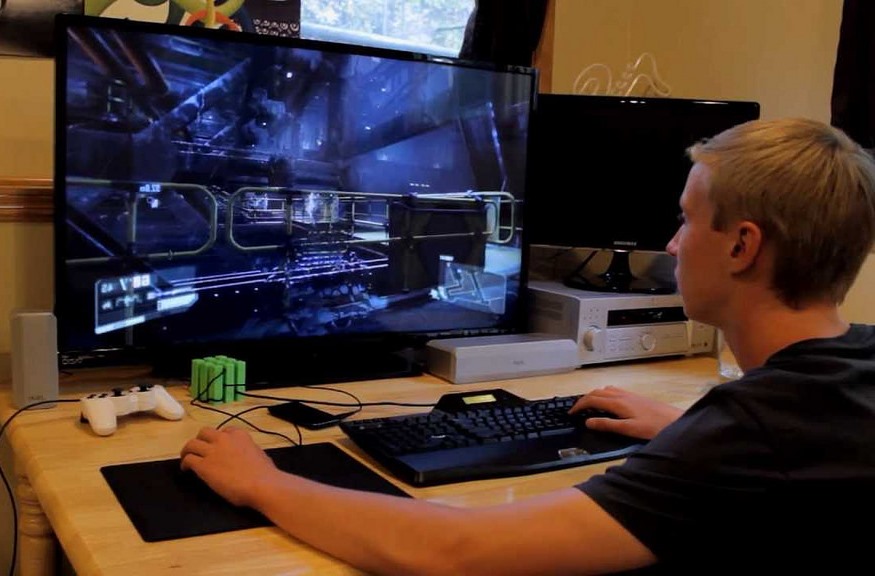
One of the most crucial aspects that one is supposed to take into account when choosing your gaming devices is the monitor. The monitor that you will pair with your gaming PC plays an important factor in your satisfaction level. A good or perfect playing screen has got to have some of the important features that we are going to highlight below. This feature enables you to attain the gaming experience that is effective and pleasant. These features include;

Energy consumption

monitorOne of the features that you should look out for when purchasing a monitor is the amount of energy that it consumes. The best gaming monitor needs to consume a minimal amount of energy. This will enable you to incorporate it practically to your power and financial saving systems. You are advised to go for a LED monitor as opposed to an LCD monitor. This is because the former consumes four times less energy than the latter. Completely avoid the older CRT models. This is because they will make your lights flicker the moment you turn it on.

Small, light and portable

One other feature that you should look up for in a good gaming monitor is that it should have a small size, be light weight wise and also portable. This is meant to ensure that it covers the smallest space in your room. It should also be easy to handle and move around. It is recommended that you go for the new LED model. They are very light and have a thickness that does not exceed two inches.

Response time

This refers to the time that a gaming monitor takes to refresh its pictures. When you are playing, you will require that your monitor gives you regular pictures as you perform. Most experts allude that the lower the response rate and time, the better the quality of the image. You are advised to go for a monitor that has an eight milliseconds response time if you are a common gamer. But for those other individuals who are into aggressive gaming, then you should look for something quicker. Professional gamers usually require a quick responding monitor, and this is because they do reply quickly to different game activities.

Frequency

This is usually measured and defined in hertz. Can be either 60hz monitor or a 120hz monitor. This is defined as the rate at which a gaming monitor collects a picture so that it is ready for one to watch. It is assumed that the greater the hertz rate a particular screen has, then the better the quality of the picture that the monitor gives. If you choose a monitor that has a very low hertz rate, then be ready to contend with blurry and unclear pictures, which are very difficult to make out. For an ordinary gamer, you are advised to look for a monitor that has a frequency of 120hz.

Frames per second

gaming monitor It is important that we understand that the pictures that are seen on …

machine

Simple Steps On How To Send Fax From Your Computer

The demand for online fax has tremendously increased. Many businesses have now resolved to make use of this kind of communication. This is because many benefits are associated with making use of this kind of communication. For instance, online fax is a very affordable and effective mean of communication. Despite the fact that some technicalities are involved, it is a very simple mean of communication that anyone can use without any difficulties. What makes it more affordable is that you do need to purchase a fax machine.
If you still think that sending an online fax is a complicated undertaking, then it is high time that you changed your perception. This article provides you with three simple steps that are involved in sending an online fax.

Choose an online fax service provider

The first step in sendicomputersng online service provider is to choose a good online fax service provider. You need to make sure that you choose a service provider that you can rely on. If for instance, you do a random search on the internet about the online fax service provider, you will realize that many companies claim to be offering these services. This is supposed to tell you that you need to be keen in the whole process of finding a service provider.
You need to understand that various online fax service providers have different methods of making it happen. There are those that will require you to make use of email system to send and receive fax messages. There are also those will require you to log in into a web interface so that you can access your fax services.

Upload your document

The next step is to upload the document that you want to send as an online fax message. Here, you need to confirm with your service provider if the support the file type that you upload. Most service providers provide support to nearly all types of file types. This, therefore, tells you that there is nothing to worry about as far as that is concerned.

Once that is done, the next thing to do is to type in your cover page on the body of the email. The email address will be a unique one as the format will be determined by your fax provider as well. In short, the email address will be something like this: [email protected], where “fax number” is the Google fax number where you will send your fax message and “fax provider” is the domain name that will be provided by our online fax facility.

Click the send button

buttonOnce you are done with all those steps that are highlighted above, the next thing will be to click the send button. That is all that you need to send an online fax message. So if been imagining that it is a difficult task, you now have it.…


envelope

Factors To Consider When Choosing A Web Design Company

Evaluate your need

Ask yourself the why of setting up the website. What do you intend with the site? Increase sales? Grow your customer base? Popularize your services and products? Once you have established why for setting up the website you now get into detail with your company of choice. Are launching a new corporation? Products? Or services? Whatever the case you are required to create brand awareness. Tailor make the website to provide information and details about the new product, company or service. It is prudent to inquire from your business in question if they have handled such cases in the past and provide substantial evidence of the same.

Consider your budget

atIs bringing up the website more expensive than the total value of the business? You need to find out if the agency you are contracting can work with your budget. Notably in the web design market if you cost cut too much you may lose on the main details of the website and not maximize the value the site can give. It is advisable to research extensively on the products you need on your site and also on the available companies and the cost. Consider checking the portfolio of the companies you are considering before contracting them.

Look into the agency history

History is not about how many years the company has existed rather how efficient the company has been in the market for the current period. Ironically in the web designing market, newer companies are coming up with stellar ideas and methodologies. You need to look into past data of the firm in consideration to in working for your industry and if they understand your industry dynamics were setting up a website is concentered.

Learn ass you communicate

Web designing is a highly complex and technically challenging subject for most of the population. Therefore, the agency representatives have to break down jargons into the most understandable terms for you as a client so that you can be on the same page. They should explain to you what it is they are doing how they are doing it. You should ask as many questions as you can and the methodologies of execution.

Be realistic

dealSet goals of what it is you would like to achieve as an organization both short term and long term. What are the key indicators of money well spent? Are you able to tell if sales have increased since the website was launched? Therefore, it is good to inquire with the web developers if they can monitor traffic and determine how much value the has added to the business.…